![Diane Poremsky [Outlook MVP]](http://www.outlook-tips.net/images/2014/MVP_BlueOnly.png)
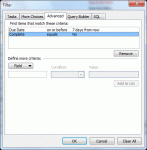
A user has this question: “Is there a way to create a Custom View of Tasks that will show past due tasks as well as any tasks that are due in the next seven days? Is this the type of thing that you can write into the SQL tab?”You could use the SQL tab, but its easier to use the Advanced tab and use Due Date, on or before, and type in “7 days from now” (without the quotes). … [Read more...] about Tip 860: Show all past due and upcoming tasks
custom views
Create a custom view to list upcoming birthdays
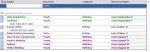
To display only the birthdays that occur in the upcoming months, you need to create a custom view. However, if you try to do it by the start date, you won't get the results you expect. Instead, you need to create a filtered table view that only shows items in the Birthday category and with a recurrence containing the names of the month. Separate each month with a comma, so the … [Read more...] about Create a custom view to list upcoming birthdays
Day/Week/Month Calendar View with Autopreview
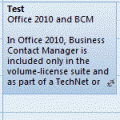
Do you know the difference between the Day/Week/Month view and the Day/Week/Month with autopreview view? When you have appointments containing notes and use the standard Day/Week/Month view, you won't see the notes on the appointment in the day and week views. When you use the Day/Week/Month view with Preview (called just "Preview" in Outlook 2010) you can see the … [Read more...] about Day/Week/Month Calendar View with Autopreview
Tip 232: Color Messages Using Rules
I had a question about message rules in Outlook. In Outlook Express, I can create a message rule that highlights in color messages based on a criteria. I could not find this capability in the message rule tool of Outlook. Can Outlook do it? Outlook supports Automatic Formatting (called Conditional formatting in newer versions of Outlook), but does it using Views, not Rules. … [Read more...] about Tip 232: Color Messages Using Rules
Tip 213: Changing the Due Date
"My task management method involves moving uncompleted tasks to another day but it's a pain to change the due dates one task at a time. How can I move then all at once?" You can do this easily, using one of my favorite Outlook tricks: drag and drop between groups. Create a new view that groups by the Due date and apply. Select all of the tasks due yesterday and drag to … [Read more...] about Tip 213: Changing the Due Date