![Diane Poremsky [Outlook MVP]](http://www.outlook-tips.net/images/2014/MVP_BlueOnly.png)

Outlook 2007's Day/Week/Month calendar doesn't have the reminder icon, making it hard to see at a glance if you need to set a reminder. You can make it easier with a custom view that hides items without reminders. The Remind Beforehand field displays the number of minutes before an event that the reminder will fire, the Reminder field displays the bell icon when a reminder … [Read more...] about View all Appointments that don't have reminders
custom views
Disable the Group By View in Outlook
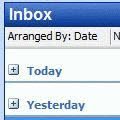
Note: You can use this method to apply any changes to all folders using the same view. It's not limited to the group by feature. While this method also works with Outlook 2010, you can create a custom view and apply it to all folders. Look for the Apply to all folders option on the View ribbon, Change View button. Apply to all folders is useful if you have custom views you … [Read more...] about Disable the Group By View in Outlook
How to copy Microsoft Outlook custom views to backup or share
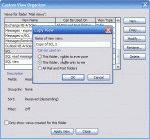
Outlook has two types of views, a global views that is available to all folders of a specific types and a folder-only view, that is visible when you view only that folder. The global views (all folders) are stored in the default data files while the 'this folder only' views are stored in the folder. If you open an second pst file in your profile, only the 'this folder only' … [Read more...] about How to copy Microsoft Outlook custom views to backup or share
Create a Custom View in Microsoft Outlook
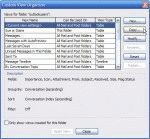
Creating any type of custom Outlook views is pretty easy. Select the folder where you want to use the new view. Open the Custom Views Organizer dialog - using either the Views menu on the Advanced toolbar or from the View menu. In Outlook 2003, go to View, Arrange By, Current View, Define view, as shown in the first screenshot. Outlook 2002 and earlier don't have … [Read more...] about Create a Custom View in Microsoft Outlook
Use Custom View Data in Another Program
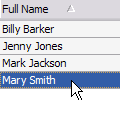
Ok. So you have the data in Outlook but need it in another program. What is the easiest way to do it? You could use File, Export and export it to one of a number of formats, which works well when you need most or all of the fields in the other program. But say you just need the name and phone number in a list or even just the email address? In this case, just create a custom … [Read more...] about Use Custom View Data in Another Program