![Diane Poremsky [Outlook MVP]](http://www.outlook-tips.net/images/2014/MVP_BlueOnly.png)
Some people have discovered that when they try to attach zip files to email, Outlook 2003 can't 'see' the files. They see every other file in the File Browser dialog except zips. This is related to the Compressed Folders utility included in Windows and it's ability to view zips as folders. You'll need to unregister the zip handler or drag the zips from Windows Explorer to the … [Read more...] about Tip 258: Can't attach zips
Tip 203: Attach Incoming Mail to a Contact

I have Office 2003 and I have a question about Outlook. Is there a way to attach an incoming email to a contact like you can in ACT! I want to try to avoid making a folder and just attach it to the contact.Yes! Just create a contact for the sender. When you open the contact and look on the Activities tab, you'll see a history of the messages sent to or received from … [Read more...] about Tip 203: Attach Incoming Mail to a Contact
Tip 183: Sort Messages by Deleted Date in Exchange mailboxes
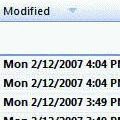
This tip works with Exchange server mailboxes and Outlook.com (EAS) accounts. It will not work with PST files or IMAP data files.Do you want to sort your Deleted Items folder by the date deleted? You'll need to add the Modified Date field to the view.Right click on the row of field names and choose Customize current view. Click the Fields button. Select Date and … [Read more...] about Tip 183: Sort Messages by Deleted Date in Exchange mailboxes
Tip 149: Deferred Delivery
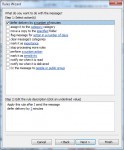
Do you sometimes wish you could take back the message? While Recall doesn't work very well, you can delay each message a few minutes just in case you change your mind.Outlook has two options for deferring delivery - setting a rule to hold the mail for xx minutes and selecting a date and time for delivery in the options dialog of a message. Create a rule to hold messages … [Read more...] about Tip 149: Deferred Delivery
Tip 122: Outlook Blocked Access
Many users are confused by the message Outlook displays when they attempt to use IE's File, Send link to menu option. It says "Outlook blocked access to the following potentially unsafe attachments: filename.url." and they think Outlook is not going to send the attachment. What the warning message doesn't say is that Outlook will include the attachment when they send the … [Read more...] about Tip 122: Outlook Blocked Access