![Diane Poremsky [Outlook MVP]](http://www.outlook-tips.net/images/2014/MVP_BlueOnly.png)

A common request is a way to redirect messages, so that when a message is forwarded, the recipient can reply directly to the original sender. Outlook doesn't support a true redirect and while add-ins exist that do redirects, it takes just a step or two for anyone to "redirect" a message. Method 1 (non-Exchange accounts): Open the message and choose Actions, Resend. You may … [Read more...] about Tip 114: Redirect Messages
Tip 99: What is Auto-Resolve and Auto-Complete?
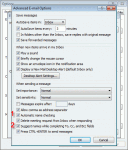
All versions of Outlook support Auto-resolve. Also known as automatic name checking, this feature allows you to type a name, or even just the first few letters, and the name resolves a few seconds after you tab out of the field. When one match is found, the name has a solid underline. When more than one possible match exist you’ll see a red wavy underline. Right click on it to … [Read more...] about Tip 99: What is Auto-Resolve and Auto-Complete?
Outlook: Frequently Asked Questions

This is an old, old FAQ list I started on my personal website, before I started Outlook Tips. It proved to be much easier to create a new page for each FAQ than it was to keep adding to this list (plus, its harder to find answers in a long list of questions and answers.) I moved it to the new site only because its still useful. Question: I recently upgraded from Outlook 2002 … [Read more...] about Outlook: Frequently Asked Questions
Assign and Remove Categories
Tip 1: Assigning Categories Quickly and easily assign Categories to any Outlook item by using a group by category view and dragging items to other groups.You can use this method to:Change company names Change Private field to Yes or No Change many of the editable fields**Note: This only works to add Categories (or other fields), it will not remove … [Read more...] about Assign and Remove Categories