![Diane Poremsky [Outlook MVP]](http://www.outlook-tips.net/images/2014/MVP_BlueOnly.png)
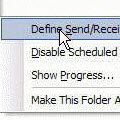
How can I get Outlook to automatically send and receive when I open the program? I have to press F-9 or go to the menu bar TOOLS/SEND AND RECEIVE. The method is the same for all versions of Microsoft Outlook. You need to browse to Tools, Send and Receive, Send /Receive Settings and find Define Send and Receive Groups or, for a faster keyboard shortcut, press Ctrl+Alt+S … [Read more...] about Automatically Check for Email in Outlook
Icons found in the Inbox, Message Headers, and Toolbars

On this page we have the icons you may see in your Inbox, Sent folder, or in the message header in Outlook 2013 and above.Outlook 2013 aims for a cleaner look and many default icons, such as read and unread envelopes are gone. In the case of Unread, the envelope was replaced by a blue bar to the left of the message. Mail | Calendar & Tasks | Contacts & … [Read more...] about Icons found in the Inbox, Message Headers, and Toolbars
Use Outlook's Contacts in a Mail Merge
Nothing says "impersonal and uncaring" as much as form letter sent to a group of people, whether it's your annual Holiday letter to friends or a form sent to clients and potential clients. It doesn't matter whether it's a traditional mailed letter or sent via email, it's still impersonal. It doesn't have to be this way. Customizing form letters to make them appear more personal … [Read more...] about Use Outlook's Contacts in a Mail Merge
Creating a Mail Merge to Labels in Microsoft Outlook
If you want to do do a mail merge to create mailing labels, follow the steps in Use Outlook's Contacts with Mail Merge to begin your mail merge. When the Mail merge dialog opens, select Labels from the Document Type menu. Click the Ok button and the merge document is created. When Word opens, you'll be presented with a message telling you to press the Setup button in the … [Read more...] about Creating a Mail Merge to Labels in Microsoft Outlook
Tip 864: Send email to a Contact category
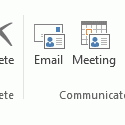
When you assign categories to Contacts you can send an email message to everyone in the category.To do this in Microsoft Outlook 2010 or Outlook 2013, begin by grouping by category then select the category and click the Email button on the Home ribbon's Communicate section. This will open a new email message addressed to the members of the category.While in the Contacts … [Read more...] about Tip 864: Send email to a Contact category