![Diane Poremsky [Outlook MVP]](http://www.outlook-tips.net/images/2014/MVP_BlueOnly.png)
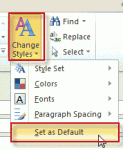
Changing the default fonts in Outlook is easy: just go into the Stationery and Fonts dialog1 and assign new fonts. The font for new mail messages is used for composing HTML email and in the notes field of calendar, contacts, and task items. ("Sticky" Notes have their own font setting.) The font for composing and reading plain text messages is also used when 'read as plain text' … [Read more...] about Tip 875: How to change the +Body style font in Outlook
Will Outlook warn me if mail is stuck in the outbox?
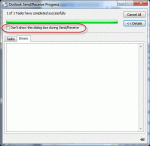
A user has a problem: he often sends large messages and they often get stuck in the Outbox. He forgets to check the Outbox and would like a warning message when messages won't send. You will not get a dialog that says 'hey, something is wrong and the message didn't send' but you can get some warnings, plus the Outbox shows the message count. Add it to your Favorites section … [Read more...] about Will Outlook warn me if mail is stuck in the outbox?
Tip 872: Setting margins in email
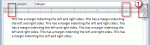
Today’s topic is about setting margins in email. Yes, you can, but it’s not a good idea to do it. And if you set the margins too wide, unintended consequences can result.When you adjust the right (or left) margin, Outlook writes it into the HTML asYes, it makes the email more readable on widescreen monitors when you open the message to fullscreen, but a margin-right … [Read more...] about Tip 872: Setting margins in email
How to Hide Paragraph Formatting Marks

It seems like everyone is accidentally turning on paragraph marks lately. It's easy for many people to get into the "Show all formatting" mode and difficult for many to figure out how to get out of it. The easiest way to disable this is using the keyboard: Ctrl + Shift + 8 will toggle the formatting marks off and on. This works in all versions of Outlook (and Word). You … [Read more...] about How to Hide Paragraph Formatting Marks
Outlook 2010 keeps looking for credential tiles?
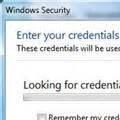
A user was unable to connect to their Microsoft Exchange using Outlook Anywhere - as soon as he enabled cached exchange mode and restarted Microsoft Outlook 2010 it hung with the "Looking For credential tiles" message. For this user, Outlook 2010 works fine without cached mode enabled. It's just when cached mode is enabled that it brings up this message. This message is … [Read more...] about Outlook 2010 keeps looking for credential tiles?