![Diane Poremsky [Outlook MVP]](http://www.outlook-tips.net/images/2014/MVP_BlueOnly.png)
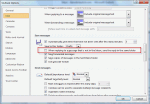
I’ve had several questions the past couple of weeks looking for a prompt to select a folder when sending messages. This is a popular feature in Lotus Notes but while Outlook allows you to set a Sent items folder for every message you send (overriding the Sent folder) it doesn’t pop up a dialog – you need to remember to select the folder before hitting Send, or use a macro to … [Read more...] about Tip 802: Prompt for folder on Send
outlook
Tip 773: Accounts & Signatures
When you use Outlook 2003 with Word as your editor or Outlook 2007 / 2010 / 2013, you can assign a signature to each account and Outlook will use the correct signature when you change accounts. In Tools, Options, Mail format tab, Signatures (Outlook 2003/2007) select *each* account from the dropdown account list and assign a signature. In Outlook 2010 and 2013, go to File, … [Read more...] about Tip 773: Accounts & Signatures
Tip 723: Don't use Compatibility Mode
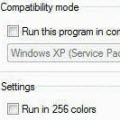
We're seeing more and more errors caused by compatibility mode. I couldn't understand why users were even touching the compatibility mode settings until someone said they ran the Troubleshoot Compatibility utility in Windows and IT made the changes. Yikes.When you right click on the application shortcut, one of the options is Troubleshoot compatibility. DO NOT use this. … [Read more...] about Tip 723: Don't use Compatibility Mode
Tip 664: Lock views
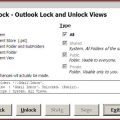
It’s very easy to accidentally change a customized view and a popular request is the ability to lock the views to prevent this. Unfortunately locking views is not possible. The best way to protect your view is by making a copy. When the copy gets messed up, delete it and make a new copy. Update: Outlook 2010's Object Model supports locking views. See View.LockUserChanges … [Read more...] about Tip 664: Lock views
Tip 603: Long Months
This will fix itself tomorrow, but for those frustrated by the layout of the monthly calendar during long months, try setting Sunday as the first day and disabling compressed weekends. You’ll see all of March once you make this change. Outlook 2007 or Outlook 2010 are not affected. They adjust the number of weeks visible on screen to match the number of weeks in the month. … [Read more...] about Tip 603: Long Months