![Diane Poremsky [Outlook MVP]](http://www.outlook-tips.net/images/2014/MVP_BlueOnly.png)
If you use Outlook 2007, you can add comments to an HTML or RTF email, using the same Reviewer comment used with Word. (It doesn’t work with plain text. Outlook 2010 or Outlook 2013.)You need to be in Edit mode (Other Actions button, Edit message) then select a word or phrase and Ctrl+Alt+M to insert a comment.If you reply to the message after inserting the comment, it … [Read more...] about Tip 567: Add Comments to Email
outlook
Tip 558: Move an IMAP *.PST
While its often a good idea to move a *.PST used by POP3 accounts to an easier to find locations, it’s less useful to move IMAP accounts. You don’t need to back it up, since its just a copy of you mailbox, which is stored on the IMAP server. If you need to move the *.PST, it is possible.First, close Outlook then make sure Outlook is not listed in Task Manager, Processes tab … [Read more...] about Tip 558: Move an IMAP *.PST
Have replies sent to another email address
Tip 511: Have Replies Sent ToDo you need send a message from your account but have replies go to a different address?You can do this one of two ways: per message (all account types) or for all messages (POP3 or IMAP accounts).Per message: Look on the Options dialog when composing a new message for the Have replies sent to field Type or select addresses from your … [Read more...] about Have replies sent to another email address
Tip 509: Disappearing All Day Events
An Outlook 2007 user asks: “I have the weirdest problem. When I create an All Day Event, I can see it in the Month view, but not in Week or Day (nothing is in the top area except a downward pointing arrow, and clicking on the down arrow just brings up a new blank appointment form). However, I've just noticed that if I'm not Maximized, the events show up in all three views! I'm … [Read more...] about Tip 509: Disappearing All Day Events
Tip 483: Scrolling in "Sticky" Notes
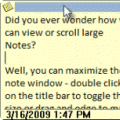
Did you ever wonder how you can view or scroll large Notes?Well, you can maximize the note window - double click on the colored 'title' bar to toggle the note to full screen or drag and edge to make it bigger.But what if you want to keep the note more "note sized" and view the contents of the note? Without scroll bars, how do you do it?Easy, you can move up and … [Read more...] about Tip 483: Scrolling in "Sticky" Notes