![Diane Poremsky [Outlook MVP]](http://www.outlook-tips.net/images/2014/MVP_BlueOnly.png)
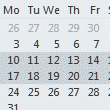
Do you want to see more appointments each day in the Month view? You can view a 2 week monthly style grid by selecting 2 weeks in the navigation calendar. You can select up to 6 weeks but unfortunately, this view is not persistent, so changing folders will change the view.For more information and a video tutorial, see View a Two Week Calendar … [Read more...] about Tip 458: Two Week Calendar
outlook
Tip 445: Group Header Format
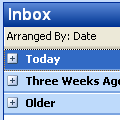
If the group headers ("today", "yesterday" etc) lack contrast and are difficult to read, the only option you have is to shade the group heading. Shading makes the group header smaller, shaded and uses black text.Click on the row of field names in the message list and choose Custom..., Other Settings.This setting is one of the very few global settings used in … [Read more...] about Tip 445: Group Header Format
Tip 424: Never Show Dialog
Outlook pops up many dialogs that offer a 'never show this again' checkbox. If you check the box and change your mind, you'll need to edit the registry if you want to see the dialog again. You can also add values to this key so you (or your users) won't be presented with the dialogs ever. To control which dialogs are shown, browse to the following registry key (replacing the … [Read more...] about Tip 424: Never Show Dialog
Signature Spell check
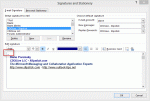
A reader had a problem with their signature:Sometimes Outlook 2007 thinks part of my message is part of my signature and no spelling check is done. How can I tell Outlook to change a section from signature to normal? Right clicking always shows me all my possible signatures and never the spelling mistakes. If I copy and paste, Outlook still thinks it is the signature. I … [Read more...] about Signature Spell check
Tip 407: Spell Check the Subject Line
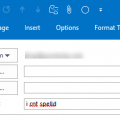
Note: the need to set Word as the editor only applies to old versions of Outlook. Current versions use Word as the only editor. Spellcheck works in both the subject line and message body and misspelled words will be underlined in red.If you use Outlook with Word as the editor and use Word's spell check as you type option, you've probably noticed the subject is not … [Read more...] about Tip 407: Spell Check the Subject Line