![Diane Poremsky [Outlook MVP]](http://www.outlook-tips.net/images/2014/MVP_BlueOnly.png)
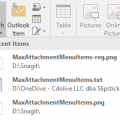
After upgrading to office 2016, I now have a list of "Recent Items" under the attachment button. I want to turn it off because I never attach recent items and always need to browse to a specific location for a file.Outlook doesn't have an option to change the number of recent files but you can set a value in the registry. Setting it to 0 will remove all recent items from … [Read more...] about Change How Many Attachments are Listed in Attach File
Outlook 2016
Outlook 2016's New Archive Button
You can no longer change the Archive folder for Outlook.com & Office 365 Exchange accounts. Outlook creates a folder called Archive that is used. POP and IMAP users can select the desired folder to use for Archive.After the latest build of Office 2016 (16.0.6741.2014) is installed, users will see an Archive button on the Home ribbon, next to Delete and also in opened … [Read more...] about Outlook 2016's New Archive Button
Outlook 2016 POP Account Problems (Fixed)

This is fixed in build 16.0.6568.2036. To get the update manually, go to File > Office Account > Update Options > Update Now. The February 2016 update for Outlook 2016 is causing problems for POP3 users. Build 16.0.6568.2025 is causing problems for people who have Outlook set to leave mail on the server for a period of time. Instead of deleting the aged mail from the server, … [Read more...] about Outlook 2016 POP Account Problems (Fixed)
Outlook 2016’s Attachments icons are huge
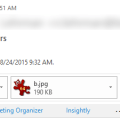
Does the huge attachment icon in the header waste too much of your screen real estate?It’s not too bad if you are using a touch screen, since it’s an easy target for big fingers, but the attachment row is twice as large as it needs to be for desktop users.If you use the compact header (click the caret on right), you can hide the attachments in received messages by … [Read more...] about Outlook 2016’s Attachments icons are huge
Outlook 2016: Excel files won’t preview
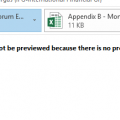
Users who were upgraded to Office 2016 have discovered they can’t preview Excel files in Outlook’s reading pane. When they select an Excel attachment, they receive the following error message:This file cannot be previewed because there is no previewer installed for it.This is due to an incorrect registry entry for the preview handler. While this will be fixed in a … [Read more...] about Outlook 2016: Excel files won’t preview