![Diane Poremsky [Outlook MVP]](http://www.outlook-tips.net/images/2014/MVP_BlueOnly.png)
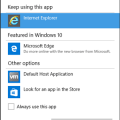
Another week, another problem with Outlook and Windows 10. This time only 32-bit versions of Office 2010, plus Outlook 2007, and Outlook 2003 are affected.The problem: Clicking links in email open a file browser dialog titled Locate Link Browser when Internet Explorer is set as default. When Edge, Chrome, or other browsers are set as default, links work fine; only Internet … [Read more...] about Outlook on Windows 10: Hyperlinks Don't Work
windows 10
Email Attachments Won’t Open After Upgrading to Windows 10 (Fixed)
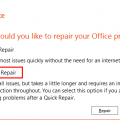
This specific issue was fixed in the August 19 2015 Product Update.After upgrading to Windows 10, some users are having problems opening Office documents that are attached to Outlook messages. When they try to open the attachments, they receive an error message that there is an error or the file is corrupt.Excel: "This file is corrupt and cannot be opened" Word: "Word … [Read more...] about Email Attachments Won’t Open After Upgrading to Windows 10 (Fixed)
Windows 10 and Outlook's New Email Notifications
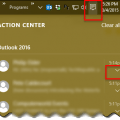
Windows 10 changes how notification are handled and this change will affect Outlook’s New Mail Alert that displays in the corner of the screen.If the notifications are not showing in the corner of your screen, click on the Action Center icon (text bubble icon) in the right corner of your Taskbar to see your previous notifications from apps, including Outlook 2013 or … [Read more...] about Windows 10 and Outlook's New Email Notifications
Outlook Error Ox800ccc13 in Windows 10
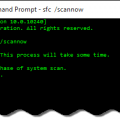
We're seeing a few errors from Outlook users after upgrading to Windows 10, specifically a message reporting problems sending messages. The affected users receive error 0x800CCC13. 'Task 'email address alias@domain.com- Sending' Cannot connect to the network. Verify your network connection or modem.'.Reinstalling or repairing the Office install, making new profiles and … [Read more...] about Outlook Error Ox800ccc13 in Windows 10
Tip 1068: Change the size of the font in Outlook's Folder list
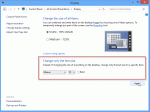
This tip is specific to Windows 8. The only way to change the font sizes in Windows 10 is by increasing the display %.This tip comes from Cowboy:As we all know, Microsoft removed the ability to change the font and font size in the Outlook 2013 folder list. But all is not lost. For those people with high resolution monitors and/or poor vision there is something we can … [Read more...] about Tip 1068: Change the size of the font in Outlook's Folder list