![Diane Poremsky [Outlook MVP]](http://www.outlook-tips.net/images/2014/MVP_BlueOnly.png)
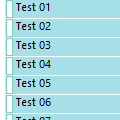
Outlook could handle all day events much better than it does - two frequent complaints are that not all events are shown on the daily view and that events span two days.Show more events on the screen The first issue is related to available screen space: you'll see more events with higher resolutions and when Outlook is maximized with most toolbars and the status bar turned … [Read more...] about Tip 365: View All Day Events
Tips Archive
Tip 364: Go to Appointment Date
Liz asks "I have a user that uses the Advanced Find function for the calendar to find certain events that have happened. Once the results show, is there a way to jump to that day on the calendar?" Yes, you can jump to the calendar from any open calendar item - look on the item's View menu for Calendar... This will open a new Outlook window to the Calendar folder with the date … [Read more...] about Tip 364: Go to Appointment Date
Tip 363: See More Navigation Calendars

How do you get the miniature date navigator calendars in the navigator pane window to stack one on top of the other? Or get two or more in a row?If you drag the interior border (right edge in Outlook 2003's navigation pane, left edge if using the Taskpad in any version) the width of a navigation calendar, you'll get more calendars in each row. To get them stacked in a … [Read more...] about Tip 363: See More Navigation Calendars
Tip 362: Send To... Questions
Last week I shared a tip for creating a new message shortcut in the Send to folder. Ronald wanted to know how to use it for distribution lists. It's easy - just replace the email address with the DL name. If there are spaces in the name, use quotes around the name. "C:\Program Files\Microsoft Office\OFFICE12\OUTLOOK.EXE" /c ipm.note /m "My DL" Outlook will resolve the name. … [Read more...] about Tip 362: Send To... Questions
Tip 361: Sending Files From Windows Explorer
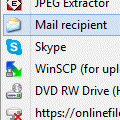
Did you ever have this problem? When you right click on a file & choose Send To, Mail Recipient, it displays the email window but locks the main Outlook window. You can't select any of the messages or Outlook folders until you save and close the message.This is caused by Windows using SimpleMapi to call the default email client and you can't do anything to prevent this, … [Read more...] about Tip 361: Sending Files From Windows Explorer