![Diane Poremsky [Outlook MVP]](http://www.outlook-tips.net/images/2014/MVP_BlueOnly.png)
Did you know you can create new Outlook items by selecting text and dragging it to a folder? A new item form opens with the selected text in the Notes field or message body. In OL2002 and earlier, drop the selected text either on the Outlook Bar buttons or the folder if using the Folder list. In Outlook 2003 drop the text on the folder buttons at the bottom of the Navigation … [Read more...] about Tip 129: Create New Items From Old
Tips Archive
Tip 128: Deleted Items Folder Limitations
A question that comes up often goes something like this:"I cannot delete messages in my email inbox. Outlook says "The messaging interface has returned an unknown error when I try. My mail works fine, but I just cannot delete anything. Does someone know a solution?"There are two things that can cause problems deleting items, the most common is having too many … [Read more...] about Tip 128: Deleted Items Folder Limitations
Tip 126: Send Calendar by E-mail
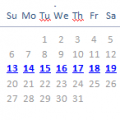
A reader writes:I need to send calendar (week or month) to someone by email.While older versions of Outlook only supports sending vCal's (individual appointments), you can use a Word template to create a document containing your calendar, then save it as a document or HTML and send it as an attachment.You'll find a choice of Word templates here: Calendar Printing … [Read more...] about Tip 126: Send Calendar by E-mail
Tip 124: Master Category List

Outlook doesn't have import/export Master Category feature so you can easily share custom categories with others, other than by exporting the registry and overwriting the registry entry on the other computers. However, it's not necessary to export the master category list and import it on everyone's computer, any category used on an Outlook item but not on the master category … [Read more...] about Tip 124: Master Category List
Tip 123: Backing Up Outlook

Replacing a failing hard drive and reinstalling the software and reconfiguring my computer this week brought to light a very annoying issue for Outlook users - the lack of a decent profile back up tool. Backing up and restoring Outlook data and settings is not as straight forward as it should be. Windows XP users can use the File and Transfer Wizard to move some files and … [Read more...] about Tip 123: Backing Up Outlook