![Diane Poremsky [Outlook MVP]](http://www.outlook-tips.net/images/2014/MVP_BlueOnly.png)
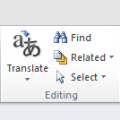
In Eudora, I can hold down the Alt button and click on a particular e-mail. That will bring all e-mails from the same sender into one list. My skill testing question is - is there a way to do this in Outlook?Outlook doesn't have anything quite that simple, but you can right-click on a message and choose Find Related > Messages From Sender to begin a simple Instant Search … [Read more...] about Tip 1087: Find Messages from Sender
Tips Archive
Tip 1086: Outlook People Pane is missing
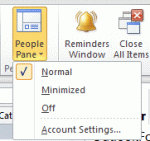
I'm starting to see more questions from people who are missing the social connector:What happened to my People Pane? I no longer see FaceBook and LinkedIn photos and status updates in Outlook and can't find the People Pane.The button to hide, minimize, or maximize the People Pane is on the right side of the View ribbon. If the People Pane button is not on the View … [Read more...] about Tip 1086: Outlook People Pane is missing
Tip 1085: Stop showing contact photos in Outlook

How do I get rid of those placeholder photos in Outlook? When I open an email I see that dumb place-holder photo under Reply. Is there a way to get rid of that photo and the other two photos on the bottom right of the window?The top one is a contact photo. Go to File, Options, People and uncheck Show user photographs when available (requires restarting Outlook) to turn off … [Read more...] about Tip 1085: Stop showing contact photos in Outlook
Tip 1084: Add to Contacts in Outlook 2013
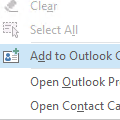
When reading or replying to an email I used to be able to right-click on a email address in the From or To fields and the context menu would give me an option to add that person to my Outlook Contacts. I used to use that all the time - a great time saver - but I don't see it in Outlook 2013?It's still there, but Add to Outlook Contacts is only visible if the contact does … [Read more...] about Tip 1084: Add to Contacts in Outlook 2013
Tip 1083: View Attachments is missing from the context menu
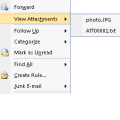
What happened to 'View Attachments' context menu item in Outlook 2010?In older versions of Outlook, when you were viewing any folder, if a message had an attachment, you could right click on the email (without opening it) to bring up a context menu containing the option to View attachments.The View Attachments command allowed you to view the filenames of any … [Read more...] about Tip 1083: View Attachments is missing from the context menu