![Diane Poremsky [Outlook MVP]](http://www.outlook-tips.net/images/2014/MVP_BlueOnly.png)

The official word from Microsoft is that Outlook 2003 is not compatible with Windows 8. What this means is that if you install Outlook 2003 on Windows 8 and it doesn't work, don't go crying to them... they told you it's not compatible and you are on your own. Support is not going to help you.Will Outlook 2003 work in Windows 8? Sure. Microsoft's idea of not compatible or … [Read more...] about Tip 1037: Outlook 2003 and Windows 8
Tips Archive
Tip 1036: Outlook 2013's 50 shades of gray

Office 2013 was released on TechNet this afternoon...First, let me apologize for getting everyone's hopes up that Outlook 2013 would have a less white, less eye strain interface in RTM. Microsoft gave us more gray, but it just makes Outlook more gray, not necessarily easier on the eyes.We now have 3 shades of gray to choose from but 14 background decorations. (Yes, 14 … [Read more...] about Tip 1036: Outlook 2013's 50 shades of gray
Tip 1035: Attachment extensions are duplicated (hotfix available)

Update November 8 2012 This issue was fixed in both Outlook 2007 and Outlook 2010 by recently released hotfixes.Outlook 2007: install the Word 2007 hotfix in Description of the Word 2007 hotfix package (Wordconv-x-none.msp, Word-x-none.msp): October 30, 2012Outlook 2010: install the Word 2010 hotfix described in Description of the Word 2010 hotfix package … [Read more...] about Tip 1035: Attachment extensions are duplicated (hotfix available)
Tip 1034: Sorting Contact Group members by name
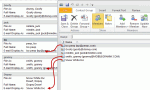
This seems to be the week everyone wants to sort the names in a Contact Group (distribution list) in a specific order, usually last name, first name format and it's not working.Contacts inserted into a Contact Group use the Email Display as format.By default, the Email display as field uses "Full Name (alias@domain.com)" format. But if you change the entry in the … [Read more...] about Tip 1034: Sorting Contact Group members by name
Tip 1033: Automatically display pictures from some external sources
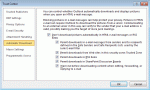
I've done my share of warning people to not enable the option to automatically download external content, because it sends back "web bugs" and could possibly allow a specially crafted email message (that uses a Java exploit) to infect your computer. It's a remote possibility at this point, but Java has so many holes that I don't trust it. (I removed Java from my office … [Read more...] about Tip 1033: Automatically display pictures from some external sources