![Diane Poremsky [Outlook MVP]](http://www.outlook-tips.net/images/2014/MVP_BlueOnly.png)
Back in 2005, I shared a tip about how to read the next (or previous) unread message in Outlook 2003. This method does not work in Outlook 2007 and Outlook 2010, because the Next and Previous button on the QAT don’t include additional commands on the flyout. My own preference is an Unread Search folder or a custom view that hides read messages, over using these buttons … [Read more...] about Tip 1002: View the Next Unread Message in Outlook 2007 or Outlook 2010
Tips Archive
Tip 1001: Add a Second Mapping Service to Outlook Contacts

Would you like to be able to use two mapping services with Outlook? You can, using VBA. I have the VBA code sample at Use VBA to Map a Contact’s Address. Paste the code into Outlook's VBA Editor and create a toolbar or ribbon button for the macro. Select contact and run the macro. My sample code uses Zillow.com as the mapping service, but you can use any site that … [Read more...] about Tip 1001: Add a Second Mapping Service to Outlook Contacts
Tip 1000: Using Rules Wizard for Internal Exchange Email
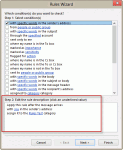
I was thinking about doing a contest or something special involving prizes to celebrate my 1000th post, but I only got as far as the thinking part... it's hard to believe I've been doing this 9 years now (as of July 14). Yes, I can do the math: 9 years x 52 weeks x 3 tips per week is a lot more than 1000 but I took some weeks off and was a slacker the rest of the time. Now … [Read more...] about Tip 1000: Using Rules Wizard for Internal Exchange Email
Tip 999: Dragging message to Calendar creates a 1 minute appointments
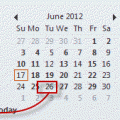
Problem: When you drag a message to a date in the navigation calendars in Microsoft Outlook 2010, the resulting meeting is only 1 minute long.This is a bug. In all other versions of Outlook, dragging a message to the navigation calendars opens a 30 minute appointment. Dragging the message to the calendar folder also results in a 30 minute appointment, although the date … [Read more...] about Tip 999: Dragging message to Calendar creates a 1 minute appointments
Tip 998: Copy Meeting Attendees and Responses
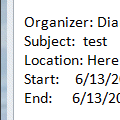
After the earlier tip on how to copy voting responses, an Outlook user said it didn't work with meetings. That's expected since you can't copy the meeting responses, only the list of invitees.To get a list of the attendee and their responses in Outlook 2007 and older you have two options: screen print or VBA. (Outlook 2010 and up includes a Copy Status to Clipboard … [Read more...] about Tip 998: Copy Meeting Attendees and Responses