![Diane Poremsky [Outlook MVP]](http://www.outlook-tips.net/images/2014/MVP_BlueOnly.png)
Manufacturers and retailers often offer the current version of Office with the purchase of a new computer, sometimes with a discount. Should you purchase the new version or save your money and keep the old (and less secure) version?
While Microsoft may say the older Office versions are "not compatible" or "not supported" on the current version of Windows, this doesn't necessarily mean "won't work". It just means that you might have issues and can't call Microsoft for help. You are on your own. This page lists some of the issues you might run into. If a feature you use is negatively affected, you probably should upgrade Office too.
Always make a backup of your Outlook .pst files before upgrading! If you use IMAP in outlook 2013 or Outlook 2016 and are storing the calendar and contacts in 'This Computer Only' folders, export those files to a pst before upgrading to Windows 10.
Windows 10: Officially, only Outlook 2007 and newer are supported on Windows 10. You need to have all service packs installed: Outlook 2007 SP3, Outlook 2010 SP2, or Outlook 2013 SP1. It's highly recommended that you install all updates, including post-SP cumulative updates, before upgrading Windows.
When you upgrade Windows, a new folder called Windows.old is created on your hard drive. If you are missing email, calendar, contacts, look in the Microsoft\Outlook path under windows.old for the missing pst files and move them to a folder within your new profile.
If you are upgrading from Windows 7 or 8, the pst files can be in either
C:\Windows.old\Users\<username>\Documents\Outlook files\
C:\Windows.old\Users\<username>\Local Settings\Application Data\Microsoft\Outlook\
If you are upgrading to Windows 10 from Windows XP, the pst is either in:
C:\Windows.old\Documents and Settings\<username>\Documents\Outlook files\
C:\Windows.old\Documents and Settings\<username>\Local Settings\Application Data\Microsoft\Outlook\
Do not enable compatibility mode – this is not needed and will cause problems with any version of Outlook.
Windows 8/8.1, Windows 7, Vista:
Naturally, Outlook 2007, 2010, and 2013, work well on Vista and Windows 7/8 and Windows 10. (Outlook 2007/2010 also work great on Windows XP; Outlook 2013 and newer is not supported on Windows XP.)
Outlook 2003 works well on Vista but there are a few problems with it on Windows 7 (see links below). Both of these versions are officially supported on Vista and Windows 7, so if any issues arise Microsoft will offer public hotfixes or include the fix in future Service Packs.
Outlook 2002, 2000, 98, and 97 are not supported on Vista or Windows 7 (or any later versions). If you choose to install any of these applications you should expect errors and annoyances. The better known problems are listed below but there may be others I'm not aware of. These versions of Outlook are all long out of support and Microsoft will not release patches to fix any problems with these versions. Upgrading is highly recommended, or use the new Vista calendar and mail applications if you are unwilling or unable to upgrade.
Outlook 2003:
For issues involving Outlook 2003 on Windows 7, Windows 8, or Windows 10, see the following pages:
Opening Zip Attachments
Office Assistant requires Microsoft Agent
Tip 734: Outlook 2003 buttons group with Word
Tip 1037: Outlook 2003 and Windows 8
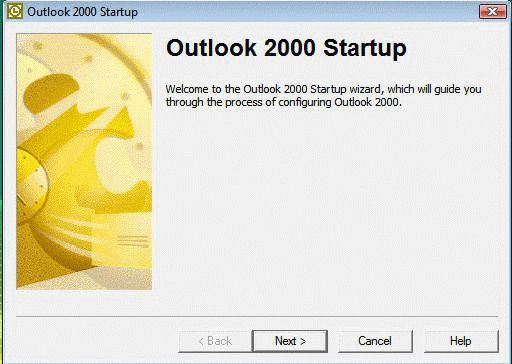
Outlook 2000 information is now at Outlook 2000 on Vista & Windows 7
Outlook 2002:
It runs, but email account passwords are not saved. After you enter the password during the first email check, Outlook will remember it until you close down Outlook. This is because Outlook used the protected storage interfaces to store passwords and these are no longer supported in Vista.
One possible solution is to run Outlook as an administrator. Right click on Outlook shortcut or Outlook.exe and choose Run as Administrator. If you don't see the Run as Administrator command, Shift + right-click to enable the Run as Administrator command.
You can use a Windows script program such as AutoIt to enter the password for you.
Note that when you enter the password, the Send and Receive that brought up the password dialog may fail but future send and receives will work. Leave Outlook open 24/7 to avoid entering it frequently.
Recurring calendar items may not open. This may be related to opening a single event in a series from the Day/Week/Month view. Open the event using any List view, such as Recurring Appointments (View, Current View, Recurring Appointments). It may also work to open the entire series from the Day/Week/Month view, I haven't tested it yet.
Outlook 2000:
Now that the list of workarounds is growing, thanks to our readers, I moved Outlook 2000 to its own page at Outlook 2000 on Vista & Win7.
Outlook 98:
Like Outlook 2000, IMO mode will not work because of the missing wab.dll. I haven't tested it with Corporate mode yet, but I recommend using Vista's Mail and Calendar programs instead – Outlook 98 is just too insecure.
If you are unfamiliar with the difference between IMO and Corporate modes, see Choosing an Outlook 98 or Outlook 2000 Mode.
Outlook 97:
Not tested. Because of the lack of features, buggyness and slowness, it's highly recommended that anyone still using Office 97 either upgrade or use the built-in Mail and Calendar apps instead.
Published May 14, 2011. Last updated on June 7, 2021.