![Diane Poremsky [Outlook MVP]](http://www.outlook-tips.net/images/2014/MVP_BlueOnly.png)
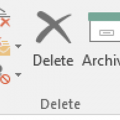
You can no longer change the Archive folder for Outlook.com & Office 365 Exchange accounts. Outlook creates a folder called Archive that is used. POP and IMAP users can select the desired folder to use for Archive.After the latest build of Office 2016 (16.0.6741.2014) is installed, users will see an Archive button on the Home ribbon, next to Delete and also in opened … [Read more...] about Outlook 2016's New Archive Button
archive
Archiving Last Year's Email
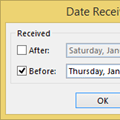
It’s a new year and many people like to start off with a clean mailbox. I created a new pst in Outlook for 2015, making the 2014 PST an archive of sorts. I’ve been doing it this way for years, so I have some 16,000 messages stored on the server. How can I avoid downloading all of the messages again? Because the Mailbox Manager file that Outlook uses to identify the last … [Read more...] about Archiving Last Year's Email
Tip 873: Archiving by received date in Outlook 2007 and 2010
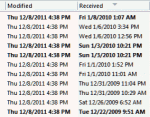
Auto-archiving creates confusion in many users because Outlook archives items based on the last modified date, which may or may not be the same as the received date (or start, completed dates). It's usually not a problem unless you import messages or edit older messages, which changes the last modified date. Import & Export, copying, and editing items are among the things … [Read more...] about Tip 873: Archiving by received date in Outlook 2007 and 2010
Tip 252: Saving a PST to CD
After replacing two servers last week, I think I'm caught up on my work that'll I'll be able to get back on track with 3 tips each week. I hope.If not, just call me Slacker. :) When you burn a pst to a CDR, Outlook can't read it directly from the CDR because it needs read/write access to the pst, even if you are only going to read, not change, any items in the pst. You will … [Read more...] about Tip 252: Saving a PST to CD
Tip 33: Using Outlook's Autoarchive
When you use AutoArchive, it archives items based on the modified date, not the received date. Copying and Importing will often change the last modified date, resulting in unexpected results when you attempt to archive items. To confirm the modified dates are the problem when archive fails, add the Modified Date field to your view, Right click on the field names in the … [Read more...] about Tip 33: Using Outlook's Autoarchive