![Diane Poremsky [Outlook MVP]](http://www.outlook-tips.net/images/2014/MVP_BlueOnly.png)

I've had several people ask about moving their pst file to OneDrive and similar cloud-based services.Sorry, no can do. It won't work and could result in a corrupt data file.Outlook puts a lock on the pst file when the pst file is open. OneDrive continually syncs the local folder. It won't be able to sync correctly when Outlook is open because Outlook has a lock on the … [Read more...] about Tip 1013: Can you use OneDrive, DropBox or other cloud storage for pst files?
backup
Backing Up Microsoft Outlook's Master Categories list
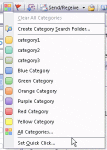
So, you like using Categories and need to merge your master category list with the list on another computer? You can backup and restore the entire category list (instructions at Outlook Categories) but this overwrites your existing categories, which isn't good if you are trying to merge your list with the existing one. Not to worry, there is a way to backup and merge your … [Read more...] about Backing Up Microsoft Outlook's Master Categories list
Tip 571: Backup files used by Office
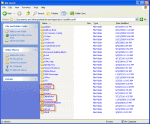
Do you need to backup (or delete) the custom.dic, signatures, templates, Outlook’s nickname cache, or stationery? Paste this command in the address bar of Windows Explorer then press Enter to open the folder path.%appdata%\MicrosoftThese files, and more, are stored in subfolders under the Microsoft folder.In Windows 7 and up, that command opens Windows Explorer to … [Read more...] about Tip 571: Backup files used by Office
Tip 252: Saving a PST to CD
After replacing two servers last week, I think I'm caught up on my work that'll I'll be able to get back on track with 3 tips each week. I hope.If not, just call me Slacker. :) When you burn a pst to a CDR, Outlook can't read it directly from the CDR because it needs read/write access to the pst, even if you are only going to read, not change, any items in the pst. You will … [Read more...] about Tip 252: Saving a PST to CD
Tip 123: Backing Up Outlook

Replacing a failing hard drive and reinstalling the software and reconfiguring my computer this week brought to light a very annoying issue for Outlook users - the lack of a decent profile back up tool. Backing up and restoring Outlook data and settings is not as straight forward as it should be. Windows XP users can use the File and Transfer Wizard to move some files and … [Read more...] about Tip 123: Backing Up Outlook