![Diane Poremsky [Outlook MVP]](http://www.outlook-tips.net/images/2014/MVP_BlueOnly.png)
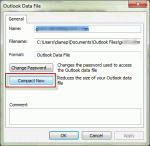
When deleting a large number of Outlook items from a pst file (and emptying the deleted items folder), many users expect to see the pst file size reflect the changes immediately. Unfortunately, that is not how it works with Outlook. I have one single .pst file of 19GB with subfolders for projects inside. Now I am making separate.pst files for individual projects so I can … [Read more...] about Tip 1005: Outlook pst file size does not shrink
data files
Tip 949: Reminders and Tasks in Other Data Files
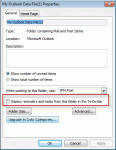
We had two questions about tasks, reminders, and flags recently. One used wanted to know how to prevent reminders and flags from his archive pst file from displaying while the other user wanted to know how to make the reminders show. I get a lot of emails and my pst files are very large (12-17GB) with just the email I get during one year. So at the end of each year I make a … [Read more...] about Tip 949: Reminders and Tasks in Other Data Files
Use existing data file as the delivery location
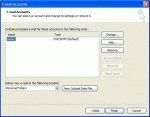
When you create a new profile or set up a new computer, you'll want to access your old email in Outlook. While you can use the File, Import and Export menu, we don't recommend it - you'll lose any custom forms or custom views you might have, along with a few other things. Outlook 2007 and Outlook 2010 There are two ways to add an existing data file to a profile in … [Read more...] about Use existing data file as the delivery location
Open an existing personal data file (*.pst) in Outlook
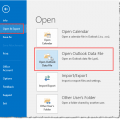
If you have an old pst or an old archive pst and you want to view your old email, you can open it in your Outlook profile. Do not use File, Import and Export menu, especially if it's an Archive pst - you may end up with duplicates and will not be able to remove them using Autoarchive (because archive uses the modified date and importing changes the modified date). Just … [Read more...] about Open an existing personal data file (*.pst) in Outlook
Where are my Outlook Files?

Outlook stores your email (and attachments), calendar and contacts together in one file that uses the extension "PST". Unless you tell Outlook to use a different pst stored somewhere else, Outlook creates the *.pst under your Windows user account directory. In Outlook 2010 and Outlook 2013, the default *.pst location for POP3 accounts in new profiles is My Document\Outlook … [Read more...] about Where are my Outlook Files?