![Diane Poremsky [Outlook MVP]](http://www.outlook-tips.net/images/2014/MVP_BlueOnly.png)
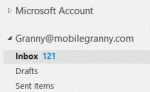
Microsoft made it hard to rename accounts in Outlook 2013. In older versions of Outlook it was easy: Data File names could be changed in the data file's Properties dialog.This works in Outlook 2013 only with POP3 or Personal Folder files. For IMAP and EAS accounts you need to open "Account Properties" from the Send/Receive Groups dialog, which is just the More Settings … [Read more...] about Tip 1057: Rename accounts in Outlook 2013
folder list
Tip 1036: Outlook 2013's 50 shades of gray

Office 2013 was released on TechNet this afternoon...First, let me apologize for getting everyone's hopes up that Outlook 2013 would have a less white, less eye strain interface in RTM. Microsoft gave us more gray, but it just makes Outlook more gray, not necessarily easier on the eyes.We now have 3 shades of gray to choose from but 14 background decorations. (Yes, 14 … [Read more...] about Tip 1036: Outlook 2013's 50 shades of gray
Tip 951: How to Stop Accidentally Dragging Outlook Folders
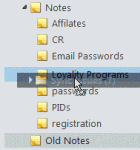
One of my favorite features is the ability to drag folders around. It makes it easy to rearrange your email folders or drag folders to an archive file. Like almost everything good, there is a downside: it's too darn easy to accidentally pick up a folder and drop it in another folder. Since Outlook can't search by folder name, finding a folder in a large mailbox full of nested … [Read more...] about Tip 951: How to Stop Accidentally Dragging Outlook Folders
Tip 894: Changing Folder and Message List Fonts

Question: "I can make the folder icons larger with display settings but when I choose large or extra-large fonts, this has no effect on the fonts used in the folders or the email line items in my inbox."Only Outlook 2010 includes the ability to change the font used for folder names. Look on the View ribbon, Navigation Pane, Options to change the font used for folder names. … [Read more...] about Tip 894: Changing Folder and Message List Fonts
Tip 893: Keep Selected Outlook Subfolders Expanded
A fairly common question from Outlook users is how to keep the folders expanded. Typically, Outlook folders expand only when mail is delivered to a folder using rules but users, especially those who use deeply nested subfolders, would like to keep all of their folders expanded so they are easier to find. While you can't do this with any native Outlook feature (other than … [Read more...] about Tip 893: Keep Selected Outlook Subfolders Expanded