![Diane Poremsky [Outlook MVP]](http://www.outlook-tips.net/images/2014/MVP_BlueOnly.png)

This is a fairly common question, although I see it a lot less these days, thanks to the widespread use of Unicode.Why do we get these characters à replacing text in email messages?This happens most often when you use characters supported by Word's "smart quotes" feature, typically affecting apostrophes, double quotes, dashes, and ellipsis. The character is … [Read more...] about Tip 1029: Strange characters in email?
formatting
Disable Automatic Formatting for Bullets

From an Outlook user: My problem is that whenever I type two hyphens, Outlook automatically thinks that I want it start a bulleted list and it will change my two hyphens into a bullet. That would be fine and dandy, but the automatic bullets in Outlook are not recognized by our accounting software and do not transfer over when I copy/paste. To get around this, I have been … [Read more...] about Disable Automatic Formatting for Bullets
Tip 872: Setting margins in email
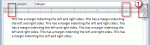
Today’s topic is about setting margins in email. Yes, you can, but it’s not a good idea to do it. And if you set the margins too wide, unintended consequences can result.When you adjust the right (or left) margin, Outlook writes it into the HTML asYes, it makes the email more readable on widescreen monitors when you open the message to fullscreen, but a margin-right … [Read more...] about Tip 872: Setting margins in email
How to change the Calendar date format
A frequent question: When I view the calendar in Week mode it displays the dates, but not the days of the week. Is there an option to show the day? If you don't like the date format Outlook uses on-screen or in printouts, you need to change the long date format set in Windows Control panel, Regional settings. Note, the day of the week format is controlled by the width … [Read more...] about How to change the Calendar date format
Changing Outlook's Reply Format
Outlook's behavior with the reply format is to reply in the format of the original message. If someone sends you plain text message, the reply will always be plain text, because Outlook (rightfully so) assumes the sender prefers mail in that format or can only accept mail in that format. This is good netiquette. In past years, the reasoning behind the decision not to … [Read more...] about Changing Outlook's Reply Format