![Diane Poremsky [Outlook MVP]](http://www.outlook-tips.net/images/2014/MVP_BlueOnly.png)
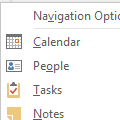
How do turn off the "peek" at the bottom of Outlook 2013? I don’t want the pop up window to pop up when i move the cursor over the Calendar, Mail, Tasks and People icons. It’s very annoying.Sorry, you can’t disable it or change a setting so the peek only displays if you hover longer. I think it’s a little better if you don’t use the Compact navigation, but it takes up more … [Read more...] about Remove Peeks from the Navigation list
navigation pane
Tip 1036: Outlook 2013's 50 shades of gray

Office 2013 was released on TechNet this afternoon...First, let me apologize for getting everyone's hopes up that Outlook 2013 would have a less white, less eye strain interface in RTM. Microsoft gave us more gray, but it just makes Outlook more gray, not necessarily easier on the eyes.We now have 3 shades of gray to choose from but 14 background decorations. (Yes, 14 … [Read more...] about Tip 1036: Outlook 2013's 50 shades of gray
Tip 956: Too Many Contact Folders?
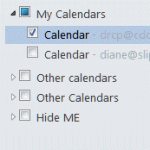
One complaint I get all the time (and often make myself) is about the ridiculous folder clutter on the Contacts and Calendar navigation pane when you have multiple email accounts in your profile.Every account that has it's own data file will have a Contacts and a Suggested Contacts folder. Every Exchange or Hotmail connector account will have it's own Calendar (and often … [Read more...] about Tip 956: Too Many Contact Folders?
Tip 894: Changing Folder and Message List Fonts

Question: "I can make the folder icons larger with display settings but when I choose large or extra-large fonts, this has no effect on the fonts used in the folders or the email line items in my inbox."Only Outlook 2010 includes the ability to change the font used for folder names. Look on the View ribbon, Navigation Pane, Options to change the font used for folder names. … [Read more...] about Tip 894: Changing Folder and Message List Fonts
Tip 883: Changing the Navigation Calendar fonts
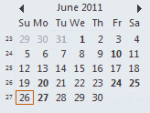
Did you know you can change the font used on the little navigation calendars on the To-do bar and Navigation pane? In Outlook 2010, go to File, Options, Calendar options and about halfway down the dialog, under Display options, is an option to change the "Date Navigator Font". In Outlook 2003 and 2007, go to Tools, Options, Other, Advanced options - look for Date … [Read more...] about Tip 883: Changing the Navigation Calendar fonts