![Diane Poremsky [Outlook MVP]](http://www.outlook-tips.net/images/2014/MVP_BlueOnly.png)
A common question from Outlook 2007 users is how to remove the “How to… “ section at the bottom of the Calendar navigation pane. While Contacts, Tasks, Notes and Journal each have a similar list, the one in the Calendar pane is longer. Because many users have more calendars shared, it’s a waste of space. It also reduces the number of navigation calendars available on the left side when the To-do bar is minimized or off.
Unfortunately, this (rarely used) list of links can’t be removed or collapsed.
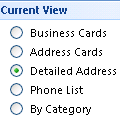
If you have the views selector showing, you can collapse it by clicking on the little arrows to the right of Current view or turn it off completely in View, Navigation Pane, Current View Pane.
Published August 5, 2008. Last updated on June 17, 2011.