![Diane Poremsky [Outlook MVP]](http://www.outlook-tips.net/images/2014/MVP_BlueOnly.png)
A lot of people are frustrated by the inability to easily create a list of Outlook folders. The only way to get a list is by doing a screenshot.
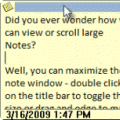
If you use Snagit, you can scroll the folder list and capture the names in one shot. You can also output the capture to a text file.
If you need it, a video tutorial is here: //www.slipstick.com/tutorials/copy/foldernames.htm
If you don’t own Snagit, a 30 day free trial is available from TechSmith:
//www.techsmith.com/screen-capture.asp
Note that any screen capture utility that can scroll windows and output to text will work.
Published October 22, 2010. Last updated on August 17, 2012.