![Diane Poremsky [Outlook MVP]](http://www.outlook-tips.net/images/2014/MVP_BlueOnly.png)
Do you want to show a 7-day calendar in the day planner column format, like the day and work week views use? It's easy. If you want to use this format always and forever, select all 7 days at the work week in Tools, Options, Calendar Options button. To view 7 days without changing your work week settings, select the first date in the Date Navigator calendar, then hold shift … [Read more...] about Tip 318: Display 7 Days in the Calendar
Tip 317: Change the File, Save Attachment Location
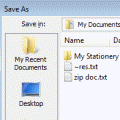
Do you want to change the default file folder Outlook 2003 uses for attachments? While you can't set a folder for attachments you send, you can set one for storing received attachments. You need to navigate to HKEY_CURRENT USER\Software\Microsoft\Office\11.0\Outlook\Options and add a string value called DefaultPath then enter the folder path.The next time you use the … [Read more...] about Tip 317: Change the File, Save Attachment Location
Tip 316: Displaying Due by Dates
Larry asks:"I can set a Flag for a Contact, including a due date for that Flag. However, short of opening the Contact, I can't see to display the due date. It would be great if I could include it on the folder view, be able to filter / sort by it, etc." To get the view Larry wants, all he needs to do is create a custom view and use the Due By field from All Mail fields … [Read more...] about Tip 316: Displaying Due by Dates
Tip 315: Copy Sent Messages
John asks: Is it possible to copy out-going emails to outlook mail folders? This would be very useful as currently I have to file manually from my sent mail. You have three ways to do this: 1. Using after sending rules - this will make a copy of the message (leaving one in the sent folder) unless you disable the option to always save a copy in sent folder (Tools, Options, … [Read more...] about Tip 315: Copy Sent Messages
Tip 314: Expanding a Distribution List
Do you need to expand a distribution list so you can remove one or more names from it before sending? It's easy in Outlook 2003 - just click the + sign to the left of the DL name to expand it then delete the addresses you don't want to include. It's also fairly easy if you use Exchange and the DL is in the GAL: Open a New Message. Click "To:" button (to bring up the … [Read more...] about Tip 314: Expanding a Distribution List