![Diane Poremsky [Outlook MVP]](http://www.outlook-tips.net/images/2014/MVP_BlueOnly.png)
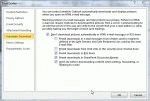
While this is no longer a problem with Paypal, users are reporting similar problems with Google Apps. Paypal fixed the problem on their end, so future messages won't cause Outlook to hang. This fix will not affect existing messages; Outlook will still hang if you try to open them.Over the last few days, Outlook users with recently active PayPal accounts have experienced … [Read more...] about Tip 921: Messages Hang Outlook 2010
Tip 920: What is "Clean Up Folder"?
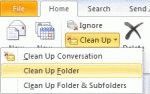
An Outlook 2010 user wondered what Clean Up folder does: What is "Clean Up Folder" and how does it compare to "Empty Folder"? Empty Folder empties the folder (Deleted Items and Junk email), with the messages permanently deleted. You cannot easily recover them. Clean up Folder moves all redundant messages in the current folder to the designated "Cleanup" folder. These … [Read more...] about Tip 920: What is "Clean Up Folder"?
Tip 919: Search Tools Ribbon is Missing
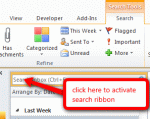
An Outlook user wondered what happened to his search ribbon: "I want to get the Search tools ribbon back. I have ribbons showing for everything except Developer and Search. I enabled the Developer ribbon, however, the Search ribbon won't display when I enable it under Outlook options, Customize Ribbon pane. The Main Tabs section does not have Search Tools listed, and under … [Read more...] about Tip 919: Search Tools Ribbon is Missing
Tip 918: Persistent Network Password Dialog
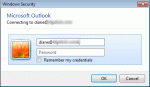
If you are receiving this error with AT&T or a Yahoo account, "L Tyler" suggests changing the POP and SMTP servers to the following names to put an end to the dialog. Incoming Mail Server: pop.mail.yahoo.com - Use Port 465 and SSL Outgoing Mail Server: smtp.mail.yahoo.com - Use Port 995, SSL and authenticate with the outgoing server AT&T changed their mail server names to … [Read more...] about Tip 918: Persistent Network Password Dialog
Tip 917: Script Error Printing From Outlook 2003 (Fixed)
Paul Adams [MSFT] has a full explanation of the problem at Script error ‘res://ieframe.dll/preview.js’ trying to print from Outlook 2003 in a RS/RDS session with IE9 installedUpdate February 22 2012: A hotfix is now available: "The system cannot find the file specified" error message when you print a document on a Windows Server 2008 R2-based terminal serverAfter … [Read more...] about Tip 917: Script Error Printing From Outlook 2003 (Fixed)