![Diane Poremsky [Outlook MVP]](http://www.outlook-tips.net/images/2014/MVP_BlueOnly.png)
Hotmail allows you to configure additional addresses in your account, and you can set one as the default for new messages and replies. Alternatively, you can choose which address is used for replies. When you have more than one email account, you can have all mail delivered to a Hotmail account and reply from the additional addresses. An Outlook user had a question about … [Read more...] about Tip 916: Using Additional Addresses with Hotmail Live
Tip 915: Compact Now Every Time you Exit Outlook

A reader wanted to know if he could configure Outlook to automatically compact the pst every time he closes Outlook.Yes, this is possible, using the PSTNullFreeOnClose registry key. This can lengthen the time it takes Outlook to shutdown and if Outlook is forced closed during the compaction process the data file could become corrupt. If you use both this key and the option … [Read more...] about Tip 915: Compact Now Every Time you Exit Outlook
Tip 914: Change Advanced Search 'Search subfolders' setting?
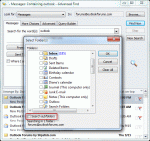
A popular question the past couple of weeks asks about the Advanced find option to search subfolders:Each time I start an Advanced search I must select the option to "Search subfolders". Is it possible to make this the default?Sorry, no, you can't set "Search Subfolders" as default in the Advanced find dialog. You'll need to select it each time or use Instant … [Read more...] about Tip 914: Change Advanced Search 'Search subfolders' setting?
Tip 913: Count the Total Number of Messages Received Today
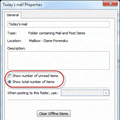
Several users wanted to know how to count the number of messages received within a period of time, usually Today. Counting the messages by hand is not a good solution as there are too many emails to manually count, plus its too slow.There is a simple way to do this in Outlook: Search folders.Right click on the Search folder and choose New Search folder. Choose … [Read more...] about Tip 913: Count the Total Number of Messages Received Today
Tip 912: Do you want to exit without sending messages?
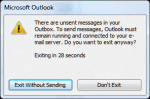
When you create a message and set the option to not send it until a future date, you'll always get a message when you close OutlookAre you sure you want to exit without sending messages?While it may be clear to you that there is a message waiting to be sent days later, the close process has no way of knowing how far out the message is scheduled for, so it pops up … [Read more...] about Tip 912: Do you want to exit without sending messages?