![Diane Poremsky [Outlook MVP]](http://www.outlook-tips.net/images/2014/MVP_BlueOnly.png)
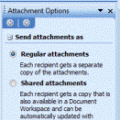
Sending digital pictures by email can result in huge message sizes which may be bounced by the sender or recipient's email server. To avoid problems, you should reduce the size of image attachments before you send them.While its easy to reduce the size of an image in any image editing program, including the Picture Manager that comes with Outlook 2003 and up, it takes a … [Read more...] about Tip 911: Resize Image Attachments
Signature not added when using Send to commands
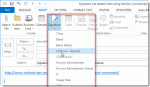
When using the save and send option in Word, Excel and the Send To command in other applications, Outlook creates a new e-mail but doesn't add your signature. This also happens when right-clicking on a document and using the send to mail recipient function.A user wanted to know why "Outlook doesn't treat these as new e-mails and why the signature is not added by default." … [Read more...] about Signature not added when using Send to commands
Tip 909: View all Recurring Events?
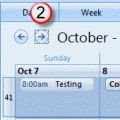
We get a lot of questions about how to view all occurrences of a recurring event in list form in Outlook. Unfortunately, this is not possible. The Calendar view displays the individual occurrences and the list view displays the single event.If you need to see all of the occurrences you have two options:1. Export your calendar to Excel. Exporting to Excel (or CSV format) … [Read more...] about Tip 909: View all Recurring Events?
Tip 907: Rules and Expanding Folders
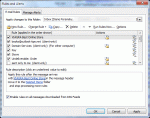
A user recently switched from POP to Exchange Server. When accessing his email in Outlook via POP, a folder would autoexpand whenever a subfolder received new message. However this does not happen with his Exchange account. "How can I get the subfolders to autoexpand when a new message arrives in one of these subfolders?" Sorry, you can't force it. The folders either expand … [Read more...] about Tip 907: Rules and Expanding Folders
Tip 906: Opening Attachments Removes & and * from the Filename
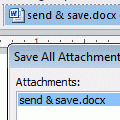
When a document with a filename containing either an ampersand or an asterisk character in it arrives attached to an email, the characters disappear from the filename when you open the attachment.An Outlook user had this to say: "When you first open the e-mail and see the attachment, the filename looks fine and has all its characters. However, when you open the … [Read more...] about Tip 906: Opening Attachments Removes & and * from the Filename