![Diane Poremsky [Outlook MVP]](http://www.outlook-tips.net/images/2014/MVP_BlueOnly.png)

Joseph asked a question about the Location field on appointments and meeting requests: "I set up an internal office meeting and there is an arrow for selecting the Location of the meeting. Now this may seem simple to most people, but a little confusing to me. How do I add our office conference rooms to the Location pull down?" You add the conference rooms by … [Read more...] about Tip 905: Location, Location, Location... Appointment Locations
The Location Information dialog comes up when you enter a phone number
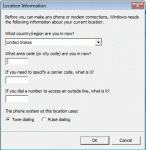
We get a lot of questions about the Location dialog that comes up the first time you enter a phone number in contacts. This is the Windows Phone & Modem dialog and you need to enter your telephone area code and save it before you can enter phone numbers for contacts. Yes, even if you don't have a modem or call contacts from Outlook, you will still need to enter an area code. … [Read more...] about The Location Information dialog comes up when you enter a phone number
Tip 904: Outlook is Stuck Offline
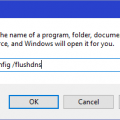
We're seeing issues with Outlook staying in Offline mode and refusing to go back only. This appears to be caused by Office Communicator 2007 R2 (the precursor to Lync and Skype for Business). Exiting Communicator and restarting Outlook should fix the problem and allow Outlook to go online.To fix, Close Outlook then exit Office Communicator completely. You'll need … [Read more...] about Tip 904: Outlook is Stuck Offline
Tip 901: Another Sorting Tip

Following last week's tip on sorting tasks, James offered: "This also makes me think it could be worth mentioning to people when you want to sort by 1 column, you can just click the column header. To sort by more than one column, most users will probably go to customize view, but holding shift and clicking a second column is way easier." Ah, yes, all the little tricks we … [Read more...] about Tip 901: Another Sorting Tip
Tip 900: Sort Tasks with "None" at the End
This tip was submitted by Hedgehog: I have a tip for you that I have not seen posted on the web, and that has been driving me, and obviously others crazy. It has to do with ordering task views so that a due date of "None" appears at the end of the list, yet the other due dates appear in ascending order. One simple (but not completely foolproof) way to do this is to … [Read more...] about Tip 900: Sort Tasks with "None" at the End