![Diane Poremsky [Outlook MVP]](http://www.outlook-tips.net/images/2014/MVP_BlueOnly.png)

Question: "I can make the folder icons larger with display settings but when I choose large or extra-large fonts, this has no effect on the fonts used in the folders or the email line items in my inbox."Only Outlook 2010 includes the ability to change the font used for folder names. Look on the View ribbon, Navigation Pane, Options to change the font used for folder names. … [Read more...] about Tip 894: Changing Folder and Message List Fonts
Tip 893: Keep Selected Outlook Subfolders Expanded
A fairly common question from Outlook users is how to keep the folders expanded. Typically, Outlook folders expand only when mail is delivered to a folder using rules but users, especially those who use deeply nested subfolders, would like to keep all of their folders expanded so they are easier to find. While you can't do this with any native Outlook feature (other than … [Read more...] about Tip 893: Keep Selected Outlook Subfolders Expanded
Using Wordmail in Office 2010
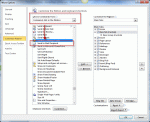
A selling point of early versions of Office was "wordmail" where, with the click of a button, an email header was added to the Word document or Excel file. All you need to do was address it and click the Send a Copy button and the document was sent in the body of a message, not as an attachment. To enable it in Office 2010 applications, you need to customize the Quick Access … [Read more...] about Using Wordmail in Office 2010
Disable Automatic Formatting for Bullets

From an Outlook user: My problem is that whenever I type two hyphens, Outlook automatically thinks that I want it start a bulleted list and it will change my two hyphens into a bullet. That would be fine and dandy, but the automatic bullets in Outlook are not recognized by our accounting software and do not transfer over when I copy/paste. To get around this, I have been … [Read more...] about Disable Automatic Formatting for Bullets
Tip 892: Show More Appointments on Outlook's Calendar
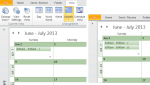
A common complaint: When using the month view on days with several appointments, Outlook only shows the first few, with a down arrow icon which expands to Day view if there are more appointments. Because its easy to overlook the truncated cells in the month view, there is a high probability of overlooking an appointment.Their question always goes something like this: Is … [Read more...] about Tip 892: Show More Appointments on Outlook's Calendar