![Diane Poremsky [Outlook MVP]](http://www.outlook-tips.net/images/2014/MVP_BlueOnly.png)
A visitor to our site asked how to configure MS Outlook 2010 for SpamCop reporting. Outlook doesn’t directly report to SpamCop. You need to get the message header and source and forward the message to SpamCop yourself. You can also use an addin, as suggested by Bert Visscher. SpamSource helps collect information from messages and works with Outlook 2010 32 and 64 bit … [Read more...] about How to configure Outlook 2010 for SpamCop reporting
Outlook is missing from the Office 2010 Trial?
We get a lot of questions from users who downloaded the Office 2010 Pro trial. They say all of the applications were included except Outlook, which of course, was the reason they even tried it. Outlook is included in the trial, but it won't always install if an older version of Outlook is installed as you can only have one Outlook installed at a time. If you want to … [Read more...] about Outlook is missing from the Office 2010 Trial?
How to Work Offline in Outlook

The big red X on the Work Offline icon confuses many users into thinking the X means they are already offline. While this is true for the large taskbar icon, the Work Offline button on the ribbon always has a red X. When Outlook 2010 is online, the Work offline button looks like a normal button. In addition, depending on your account type, the status bar may say you are … [Read more...] about How to Work Offline in Outlook
How to Access Account Settings in Outlook 2010
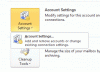
Outlook 2010 adds a bit of confusion for users trying to access Account Settings: you need to go to File, Account Settings and the select the account settings from a flyout menu. The problem is that is easily overlooked because it blends into the page so well, especially when you don't have an Exchange account in your profile. Notice the tiny arrow on the Account Settings … [Read more...] about How to Access Account Settings in Outlook 2010
Tip 891: Move a series of appointments to new dates

It is possible to move (or copy) a series of appointments to new dates and maintain the series pattern. While in the Calendar Month view, carefully select the appointments, holding Ctrl as you make the selections, then right-click and drag the selection to date navigator calendar. You need to drop the appointments on the date the last selected appointment should be moved … [Read more...] about Tip 891: Move a series of appointments to new dates