![Diane Poremsky [Outlook MVP]](http://www.outlook-tips.net/images/2014/MVP_BlueOnly.png)
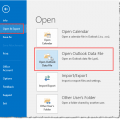
If you have an old pst or an old archive pst and you want to view your old email, you can open it in your Outlook profile. Do not use File, Import and Export menu, especially if it's an Archive pst - you may end up with duplicates and will not be able to remove them using Autoarchive (because archive uses the modified date and importing changes the modified date). Just … [Read more...] about Open an existing personal data file (*.pst) in Outlook
Tip 817: Outlook's Start menu and Desktop Shortcuts
In older versions of Outlook you could right click on the Start menu or desktop shortcut and choose Properties to open the Mail profile dialog. This doesn’t work with Vista and Windows 7 - the desktop and start menu shortcuts are just shortcuts and Properties opens the (file) Properties dialog to the Shortcut tab. To change the account or profile properties, you need to go … [Read more...] about Tip 817: Outlook's Start menu and Desktop Shortcuts
How to publish custom forms in Microsoft Outlook
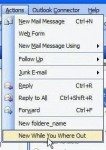
See Designing Custom Forms to learn how to open a form in design view. Due to security issues, any Outlook template (or form) containing code must be published - templates (*.oft) opened from the hard drive will not work and in some cases, will no longer open. (Templates containing custom fields need to be opened using the Choose Form dialog.) To publish a form to … [Read more...] about How to publish custom forms in Microsoft Outlook
Tip 816: Tiny (or Huge) 10 Point Font
A few weeks ago I mentioned a problem with huge fonts where the font was changed from 10 point to 100 point. This problem affects messages you receive and is caused by an antivirus scanner corrupting the message.There is another problem with font sizes – they are really tiny or very large when composing a message but Outlook says the font is a normal size, such as 10 … [Read more...] about Tip 816: Tiny (or Huge) 10 Point Font
Tip 815: Previewing PDF in Windows7 x64
When you use Windows 7 x64, you need to use the newest version of Adobe Reader if you want to preview the PDF in Outlook’s reading pane (or in Windows Explorer). If you have Acrobat installed, you will need to install Reader too. If the newest version of Reader is install, repair the install. … [Read more...] about Tip 815: Previewing PDF in Windows7 x64