![Diane Poremsky [Outlook MVP]](http://www.outlook-tips.net/images/2014/MVP_BlueOnly.png)
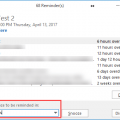
Chipper asks: Is it possible to set a reminder date longer then 2 weeks on a calendar item? For example, I have a major meeting scheduled in September, eight months from now, and I want to be reminded three months before the due date to begin preparing for the meeting. Sure. You can use any other reminder period, not just what is listed in the dropdown. Need a reminder in 18 … [Read more...] about Tip 337: Appointment Reminders
calendar
Tip 330: Delete Future Recurring Appointments
An Outlook user asks: How can I have all of the future re-occurring meetings (ie for 2014) removed from my calendar, but keep the 2013 appointments? A further twist to this scenario - some of the individual meetings in 2013 were cancelled, and some moved to other times, so I cannot just recreate the re-occurring appointment for 2013 myself and then remove the re-occurring … [Read more...] about Tip 330: Delete Future Recurring Appointments
Tip 282: Displaying Calendar Names in Outlook 2003
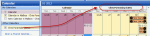
The original problem was apparently fixed by an update, although I'm not sure which one. Installing all Outlook updates available at Microsoft Update will install it. When you use Outlook 2003 and open other people's calendars as a secondary mailbox in your profile, the calendars will all have the highly descriptive display name of "Calendar". When you open the calendars … [Read more...] about Tip 282: Displaying Calendar Names in Outlook 2003
Tip 270: Displaying Navigation Calendars
A reader asks: "At some point after I installed MSO 2003, several month's Calendars appeared at the top of the Navigation Pane. Now, only one appears along with stuff I don't need or want, like the My Calendars and Current View Sections. How can I get rid of those 2 sections and have at least 2, preferably 3, months' Calendars to appear above the navigation buttons?" If you … [Read more...] about Tip 270: Displaying Navigation Calendars
Tip 259: Calendar display looks wrong
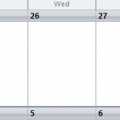
How can I get calendar to start on the current date?This is just how Outlook works. Outlook displays the calendar as 5-full weeks and the last few days of the previous month will always be at the top, unless the month starts on the first day in your calendar display.If you turn off compressed weekends (right click on the calendar and choose Other Settings to disable the … [Read more...] about Tip 259: Calendar display looks wrong