![Diane Poremsky [Outlook MVP]](http://www.outlook-tips.net/images/2014/MVP_BlueOnly.png)
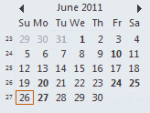
Did you know you can change the font used on the little navigation calendars on the To-do bar and Navigation pane? In Outlook 2010, go to File, Options, Calendar options and about halfway down the dialog, under Display options, is an option to change the "Date Navigator Font". In Outlook 2003 and 2007, go to Tools, Options, Other, Advanced options - look for Date … [Read more...] about Tip 883: Changing the Navigation Calendar fonts
calendar
Tip 874: Schedule multiple non-recurring appointments

A user recently asked about scheduling recurring appointments that don’t fit a recurrence pattern “Our company just started with Outlook and we have not been able to figure out how to schedule an appointment with multiple dates that are not a recurring date.”While this is a feature in other corporate mail systems, Outlook (and Exchange server) supports only recurring … [Read more...] about Tip 874: Schedule multiple non-recurring appointments
Tip 868: Display a person's current age on their birthday event in Microsoft Outlook's Calendar
A frequent request is the ability to display a person's age on their birthday event in Outlook's calendar. We used to say "you can't" and pointed users to our custom form that displays a contact's current age. We've since learned of a way to use custom fields to populate the subject field - one use of this is to add the age to the subject field of an appointment. Uses for … [Read more...] about Tip 868: Display a person's current age on their birthday event in Microsoft Outlook's Calendar
Outlook's Calendar and Task Icons

The following are icons you may see in Outlook 2013, Outlook 2016, or newer Calendar folders. If you have an older version of Outlook, the icons will be similar in most cases. Calendar Icons In current versions of Outlook, the Daily, Week, and Monthly calendars won't display icons by default. You'll need to turn on the option to Show bell icon on the calendar for appointments … [Read more...] about Outlook's Calendar and Task Icons
Identifying Outlook's Icons: More Icons

Microsoft Outlook uses a lot of icons throughout the program and it's hard to remember what each icon means. Help lists some icons but finding them is a daunting task for many users. On these next pages, you'll find all of the icons and a short description when needed. Mail | Calendar & Tasks | Contacts & Journal Rules & Alerts | Toolbars | More … [Read more...] about Identifying Outlook's Icons: More Icons