![Diane Poremsky [Outlook MVP]](http://www.outlook-tips.net/images/2014/MVP_BlueOnly.png)
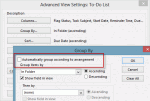
Twice this week users asked how to create a view that sorted the items in a folder way they wanted to sort them.The first person wanted to group tasks by the folder they were in then sort by due date within the group. The other person wanted to sort contacts by icon. Both users had problems creating their views.The cause of their problem was Outlook's setting to group … [Read more...] about Tip 1030: When sorting items in a folder doesn't work as expected
custom views
Tip 1021: Copy views in Outlook 2010 or Outlook 2013
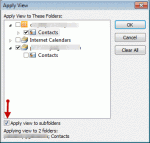
A user had a view he liked in his older version of Outlook but Outlook 2010 messed it up. Provided he has a backup pst that contains the contacts formatted with the view, he can apply the view to other contact folders. Copying views to other folders is supported in Outlook 2010 and Outlook 2013. In older Outlook versions, you can apply views to other folders one at a time. … [Read more...] about Tip 1021: Copy views in Outlook 2010 or Outlook 2013
Tip 944: Hide Header in Reading Pane
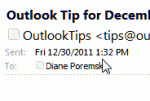
The header in the reading pane or in an open message takes up quite a bit of screen real estate: In older versions of Outlook you can shrink the header down to the subject line by editing the view or by carefully right clicking on the left edge of the reading pane and selecting Header Information to toggle it off and on. In Outlook 2007, only the subject shows (as … [Read more...] about Tip 944: Hide Header in Reading Pane
How to show only Tasks in the To-Do List

Not everyone likes the To-Do List opening as the default folder when switching to the Task pane. Some users just want to see tasks, not flagged messages, and would like to delete the To-Do list or set the Tasks folder to open by default: I have a problem with the To-Do List under My Tasks in Outlook, in the navigation pane. I have my Tasks set up in Tasks. I do not use the … [Read more...] about How to show only Tasks in the To-Do List
Find Outlook's Custom View Menu
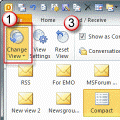
There are several ways you can access the dialog to customize or reset the views. Some of the menus offer two options: Define views or Customize Current View. More information on which to choose is at the end of this article. Outlook 2010: It's much easier to customize and reset views in Outlook 2010, thanks to the View ribbon. 1. Expand the Change view menu to select a … [Read more...] about Find Outlook's Custom View Menu