![Diane Poremsky [Outlook MVP]](http://www.outlook-tips.net/images/2014/MVP_BlueOnly.png)

Outlook Tip 926: Outlook 2010 introduces an often-requested new feature: Reply with a Meeting Request "Can I create an appointment from an email with all the people from the email? Example: I get an email with 5 people in the to/cc lines. I want to right-click and select Create Meeting and Invite These People. Outlook creates an appointment based on that email AND adds … [Read more...] about Tip 927: Reply to a Message with a Meeting Request
Tip 920: What is "Clean Up Folder"?
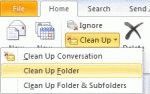
An Outlook 2010 user wondered what Clean Up folder does: What is "Clean Up Folder" and how does it compare to "Empty Folder"? Empty Folder empties the folder (Deleted Items and Junk email), with the messages permanently deleted. You cannot easily recover them. Clean up Folder moves all redundant messages in the current folder to the designated "Cleanup" folder. These … [Read more...] about Tip 920: What is "Clean Up Folder"?
Using Wordmail in Office 2010
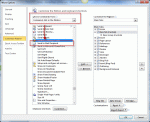
A selling point of early versions of Office was "wordmail" where, with the click of a button, an email header was added to the Word document or Excel file. All you need to do was address it and click the Send a Copy button and the document was sent in the body of a message, not as an attachment. To enable it in Office 2010 applications, you need to customize the Quick Access … [Read more...] about Using Wordmail in Office 2010
Disable Automatic Formatting for Bullets

From an Outlook user: My problem is that whenever I type two hyphens, Outlook automatically thinks that I want it start a bulleted list and it will change my two hyphens into a bullet. That would be fine and dandy, but the automatic bullets in Outlook are not recognized by our accounting software and do not transfer over when I copy/paste. To get around this, I have been … [Read more...] about Disable Automatic Formatting for Bullets
Tip 879: Outlook 2010's Blank subject warning
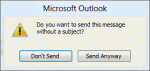
A new feature is Outlook 2010's blank subject warning: "Do you want to send this message without a subject?" When you compose a message and click Send without first filling in the subject field, the following dialog will come up, confirming that you want to send the message with a blank subject field. This was a frequently requested feature in previous … [Read more...] about Tip 879: Outlook 2010's Blank subject warning