![Diane Poremsky [Outlook MVP]](http://www.outlook-tips.net/images/2014/MVP_BlueOnly.png)
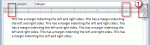
Today’s topic is about setting margins in email. Yes, you can, but it’s not a good idea to do it. And if you set the margins too wide, unintended consequences can result.When you adjust the right (or left) margin, Outlook writes it into the HTML asYes, it makes the email more readable on widescreen monitors when you open the message to fullscreen, but a margin-right … [Read more...] about Tip 872: Setting margins in email
outlook
Save an Outlook Message as HTML (and Delete the Folder)
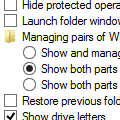
When you save a message as HTML in Outlook 2007 (and 2010, 2013), Outlook creates a matching (and annoying) folder containing XML and THMX files. (Creating a signature creates this folder and file set as well.) For most users, deleting the folder also deletes the HTML page. This is because the default setting for managing web pages and folders is to show and manage them as a … [Read more...] about Save an Outlook Message as HTML (and Delete the Folder)
How to Reset the View on Outlook folders
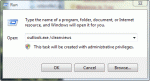
Many times users are told to "reset the view" to fix problems with the display in Outlook but they don't know how to do this. There are two ways top do this. Outlook 2010 and up: look on the views ribbon for the Reset Views button to rest a single view or use the /cleanviews switch to reset all views. Reset All Views in All Folders First, you can reset the views for … [Read more...] about How to Reset the View on Outlook folders
Automatically Check for Email in Outlook
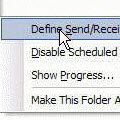
How can I get Outlook to automatically send and receive when I open the program? I have to press F-9 or go to the menu bar TOOLS/SEND AND RECEIVE. The method is the same for all versions of Microsoft Outlook. You need to browse to Tools, Send and Receive, Send /Receive Settings and find Define Send and Receive Groups or, for a faster keyboard shortcut, press Ctrl+Alt+S … [Read more...] about Automatically Check for Email in Outlook
Identifying Outlook's Icons: More Icons

Microsoft Outlook uses a lot of icons throughout the program and it's hard to remember what each icon means. Help lists some icons but finding them is a daunting task for many users. On these next pages, you'll find all of the icons and a short description when needed. Mail | Calendar & Tasks | Contacts & Journal Rules & Alerts | Toolbars | More … [Read more...] about Identifying Outlook's Icons: More Icons