![Diane Poremsky [Outlook MVP]](http://www.outlook-tips.net/images/2014/MVP_BlueOnly.png)
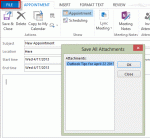
Problem: When you use an Outlook.com account in Outlook 2013 (using EAS) and insert an attachment into an appointment, contact, or task, the attachment is not visible in the message body. All attachments - files and Outlook items - are affected by this bug.Click the Copy to My Calendar command to create a copy of the appointment on your default calendar and the … [Read more...] about Tip 1082: Attachments are hidden in Outlook 2013 Outlook.com accounts
Tips Archive
Tip 1081: Add hyperlinked icon to an Outlook signature
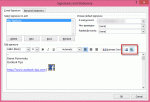
A popular question the last couple of weeks was "How do I add social networking icons to my signature?"Easy. Find the icons you want to use. If they are larger than you want, reduce the size in SnagIt or InfranView. Create a new signature or edit an existing signature and insert the images and hyperlink them.In Outlook 2010 or Outlook 2013: Open the Signature … [Read more...] about Tip 1081: Add hyperlinked icon to an Outlook signature
Tip 1080: Showing Weather in Outlook 2013

A new user of Outlook 2013 had this question:I like the Weather feature in Outlook 2013, but I need it for more than the 2 days that are showing up.Outlook 2013 will show three days of weather but the catch is that the area between the date and search field needs to be wide enough to fit three days of weather. If the month name is long, the calendar period spans … [Read more...] about Tip 1080: Showing Weather in Outlook 2013
Tip 1079: Filtering Outlook emails by color
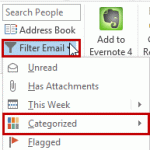
A user recently had this query:I want to set up a condition that allows me to highlight all messages from my boss, say, as red, then I would also be able to filter to show only those emails highlighted as red.Conditional Formatting (called Automatic Formatting in older versions of Outlook) is used to color messages from someone. This is actually a view and the color … [Read more...] about Tip 1079: Filtering Outlook emails by color
Tip 1077: Outlook 2013 Touch mode
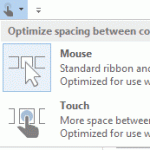
Outlook is not fully touch enabled and there are a number of things you can't do just with your fingers; you need to use the Touch bar or a pen. (On my Sony, the default screen resolution is so high that some things are too tiny for fingers.)I recently bought a new Samsung smart ATIV Pro Windows 8 tablet PC which I use now as my primary work machine (it's awesome Btw). My … [Read more...] about Tip 1077: Outlook 2013 Touch mode