![Diane Poremsky [Outlook MVP]](http://www.outlook-tips.net/images/2014/MVP_BlueOnly.png)
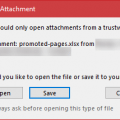
An Outlook 2010 user reports:Windows just updated Outlook with many updates and now I cannot open any attachments. I now see one of two dialogs when I try to open or save contacts, tasks, etc. One dialog is the "unsafe attachment" warning when I close and item; the other tells me the attachment was added by Outlook and Outlook is not installed: "The program used to create … [Read more...] about Bugs in Outlook's June 13 2017 security update
Tips Archive
Insert Date Stamp into Contact Notes
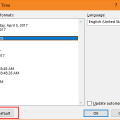
Is there an easy way to add a date stamp to the Notes field in Contacts?Sure. Outlook for Windows desktop has a Date & Time command on the Insert tab in all Outlook Items except (sticky) Notes. This is the same Date & Time command found in Word and it supports the same keyboard shortcut: Alt+Shift+D to insert the date (use Alt+Shift+T for time) using the default date and … [Read more...] about Insert Date Stamp into Contact Notes
Outlook Holiday Error: Election Day
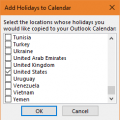
Of all the years to get the date wrong for the US Election day, it had to be this year. Fortunately, it's a week early, so no one is going to miss voting because the calendar was wrong.The HOL file supplied with Outlook 2010 has the US Election day on November 1 (don't we wish!), when it really is November 8. The date was corrected in a later HOL file; on my Outlook 2013 … [Read more...] about Outlook Holiday Error: Election Day
Change Outlook's Open or Save Attachments Folder
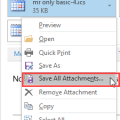
Did you know you can change the folder Outlook uses as the default folder to save attachments?You can also change the default folder that opens when you click Browse this PC on Outlook's Attach File menu (Insert Attachment in older versions) but when you make this change, it changes the default folder for open or saving files in Word, Excel, and PowerPoint. (Note: … [Read more...] about Change Outlook's Open or Save Attachments Folder
Show AutoPreview for Unread Messages
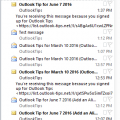
I receive a lot of complaints about the change in the unread message preview option introduced in Outlook 2013. In Outlook 2010 and older, you could show a 3 line preview of Unread messages and no preview for read messages. In Outlook 2013, this was changed to an option of 1, 2 or 3 lines but applies to all messages, read or unread and not everyone likes this change.I spent … [Read more...] about Show AutoPreview for Unread Messages