Using Outlook’s Signatures

January 12, 2011
By

When you use Outlook 2003 and set Word as your email editor or use Outlook 2007 or 2010, it’s easy to change signatures on your messages. If you use multiple email accounts, you can set a sig for each account and it’s changed each time you change the account, provided you have a default signature configured for each account.

First, create a sig for each account:

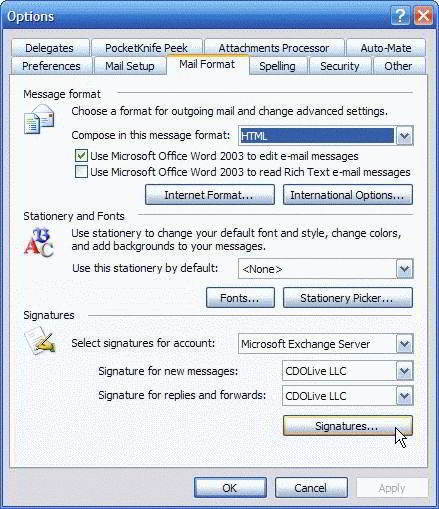
Browse to Tools, Options, Mail format, Signature section and click the Signature button to add signatures.
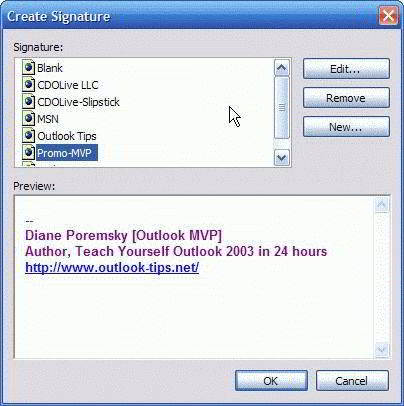
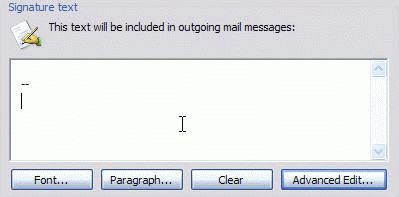
Click the New button to enter the text for your signature.

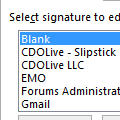
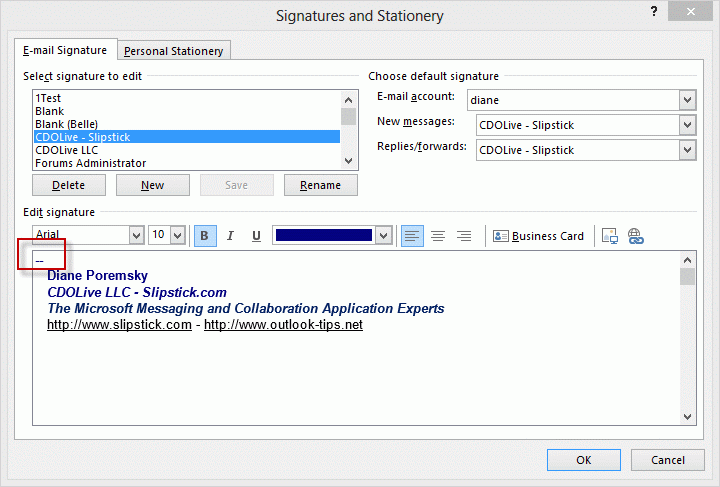
If you don’t want to use a signature with an account, create one called Blank. Enter two dashes and a space (– ) then Enter to create a signature that is identifiable. While you could just enter a space or two, it makes it easier to locate the signature block when it’s marked with the standard sig delimiter of –. This makes it easier when you right click to swap signatures or if you are having problems with spell check seemingly not working correctly (Tip 196: Signature Spellcheck).

When you are finished creating signatures, click Ok to return to the Options dialog screen. Set a sig for each account and for both new message and replies / forwards, using the Blank sig when you don’t want a default sig,

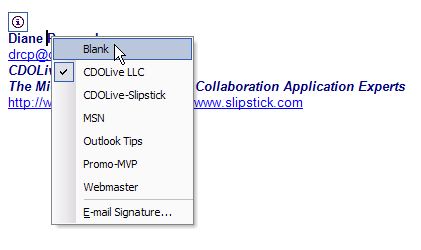
When you create an email or change accounts, the sig changes with the account selection or you can right click on the sig area and select a new one.

Signature files are stored at
C:Documents and SettingsusernameApplication DataMicrosoftSignatures
There are three files for each sig – one each in HTML, plain text, and RTF format. You can copy these files to back up your signatures or copy them to/from another computer.

When you use the Outlook editor, you can’t change signatures as easily and signatures won’t change for the account, as they do with Word as the editor.

Related posts:

Tags: , , , ,

« « Creating rules that apply to an entire domain
Add MSMail to Microsoft Outlook 2003 » »

2 Responses to Using Outlook’s Signatures

  1. gene on April 14, 2012 at 10:11 pm

    I have been trying to create signature files in Outlook 2003. I end up getting scrambled up emails and the if the user has ‘reply with the original message’ the return emails are all jumbled.
    This is one email that i am trying to create:


    Gene D. Mille
    **********************************************************
    genedm@comcast.net

    \\\ ///
    (o o)
    ======================oOO== OOo=============================
    For me the world is weird because it is stupendous,
    awesome, mysterious, unfathomable. my interest has
    been to convince you that you must assume responsibility
    for being here in this marvelous world, in this marvelous
    desert, in this marvelous time. I wanted to convince that
    you must learn to make every act count, since you are
    going to be here for only a short while, in fact too short for
    witnessing all the marvels of it.
    Carlos Castaneda
    =======================.oooO Oooo. ===================
    ( ) ( )
    \ ( ) ( /
    \_) (_/
    ****************************************************************
    As you see if i try to correct it it just gets more scrambled.

    If you have any comments i would surely appreciate them.

    genedm

  2. Diane Poremsky on April 16, 2012 at 5:59 pm

    It’s even more jumbled here i fear, but part of the problem is the font – you need to use a fixed width font (like courier new) with ascii art to have any chance of it looking good. Signatures often get messed up in quoted replies – there is not too much you can do about it, short of making sure it looks good in the original.

Leave a Reply

Your email address will not be published. Required fields are marked *

*


Outlook Daily Tips by Email

*  Your Email Address:

Resources

Ask questions and share your knowledge in Outlook Forums.

More Outlook and Exchange articles available at Outlook and Exchange Solutions Center

Follow me on:

Follow @Outlooktips on Twitter   Join Outlooktips on Facebook


Subscribe to our Exchange Messaging Outlook weekly newsletter

*  Email Address: