![Diane Poremsky [Outlook MVP]](http://www.outlook-tips.net/images/2014/MVP_BlueOnly.png)

A user recently asked about scheduling recurring appointments that don’t fit a recurrence pattern “Our company just started with Outlook and we have not been able to figure out how to schedule an appointment with multiple dates that are not a recurring date.”While this is a feature in other corporate mail systems, Outlook (and Exchange server) supports only recurring … [Read more...] about Tip 874: Schedule multiple non-recurring appointments
Tip 873: Archiving by received date in Outlook 2007 and 2010
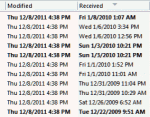
Auto-archiving creates confusion in many users because Outlook archives items based on the last modified date, which may or may not be the same as the received date (or start, completed dates). It's usually not a problem unless you import messages or edit older messages, which changes the last modified date. Import & Export, copying, and editing items are among the things … [Read more...] about Tip 873: Archiving by received date in Outlook 2007 and 2010
Will Outlook warn me if mail is stuck in the outbox?
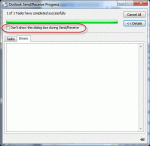
A user has a problem: he often sends large messages and they often get stuck in the Outbox. He forgets to check the Outbox and would like a warning message when messages won't send. You will not get a dialog that says 'hey, something is wrong and the message didn't send' but you can get some warnings, plus the Outbox shows the message count. Add it to your Favorites section … [Read more...] about Will Outlook warn me if mail is stuck in the outbox?
Tip 872: Setting margins in email
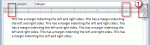
Today’s topic is about setting margins in email. Yes, you can, but it’s not a good idea to do it. And if you set the margins too wide, unintended consequences can result.When you adjust the right (or left) margin, Outlook writes it into the HTML asYes, it makes the email more readable on widescreen monitors when you open the message to fullscreen, but a margin-right … [Read more...] about Tip 872: Setting margins in email
Tip 871: Stop the creation of Appt Aux Flags folders
Users are reporting that Outlook is creating folders named "Appt Aux Flags" in their Archive folder. Deleting them doesn't help much as they just keep coming back. These folders are created by the Norton AntiSpam Outlook addin. Disable the addin and the problem goes away. (We don't recommend using antispam addins anyway as they tend to cause more problems than they solve.) … [Read more...] about Tip 871: Stop the creation of Appt Aux Flags folders